Using Claude all the way up to Max is just too expensive, so I’ve been trying it with the Pro plan.
But… if I ask even one big question with Opus 4.6, I basically burn through the entire 5-hour usage window immediately… I heard that on the Max plan you can keep using Opus 4.6 for 5 hours and still not run out… I’d love to, but it’s too expensive, so pass…
Honestly, I’m already pretty satisfied with Sonnet 4.6 too. It writes dramatically better than 4.5.
Anyway, today I suddenly got curious: how would Claude interpret localization, and what kind of package would it build? So I immediately threw the question into Plan mode. The model was Opus 4.6.
For a localization package, include the following core features:
1. JSON-based locale files - flat {"key": "value"} format that is easy to hand off to translators
2. Static API - concise interface such as LocalizationManager.Get(key), SetLocale(code), etc.
3. Automatic initialization - auto setup before scene load via [RuntimeInitializeOnLoadMethod]
4. Components - LocalizedText, LocalizedImage, LocalizedAudio (automatically updated when locale changes)
5. Type-safe key code generation - autocomplete support in the form of L.Menu.Start
6. UIToolkit Editor - MultiColumnListView table editor, CSV/JSON import/export, Project Settings integration
7. Conditional TMP support - automatically enabled when TextMeshPro is installed
8. No external dependencies - built-in JSON parser
At first… it split the Runtime and Editor folders nicely, but because the asmdefs were different, internal members couldn’t actually be shared between them. It was freely accessing them anyway, which caused errors all over the place, so I fixed that part first… and then?
Installing the Package
These are the settings window and editor window you see right after installation.
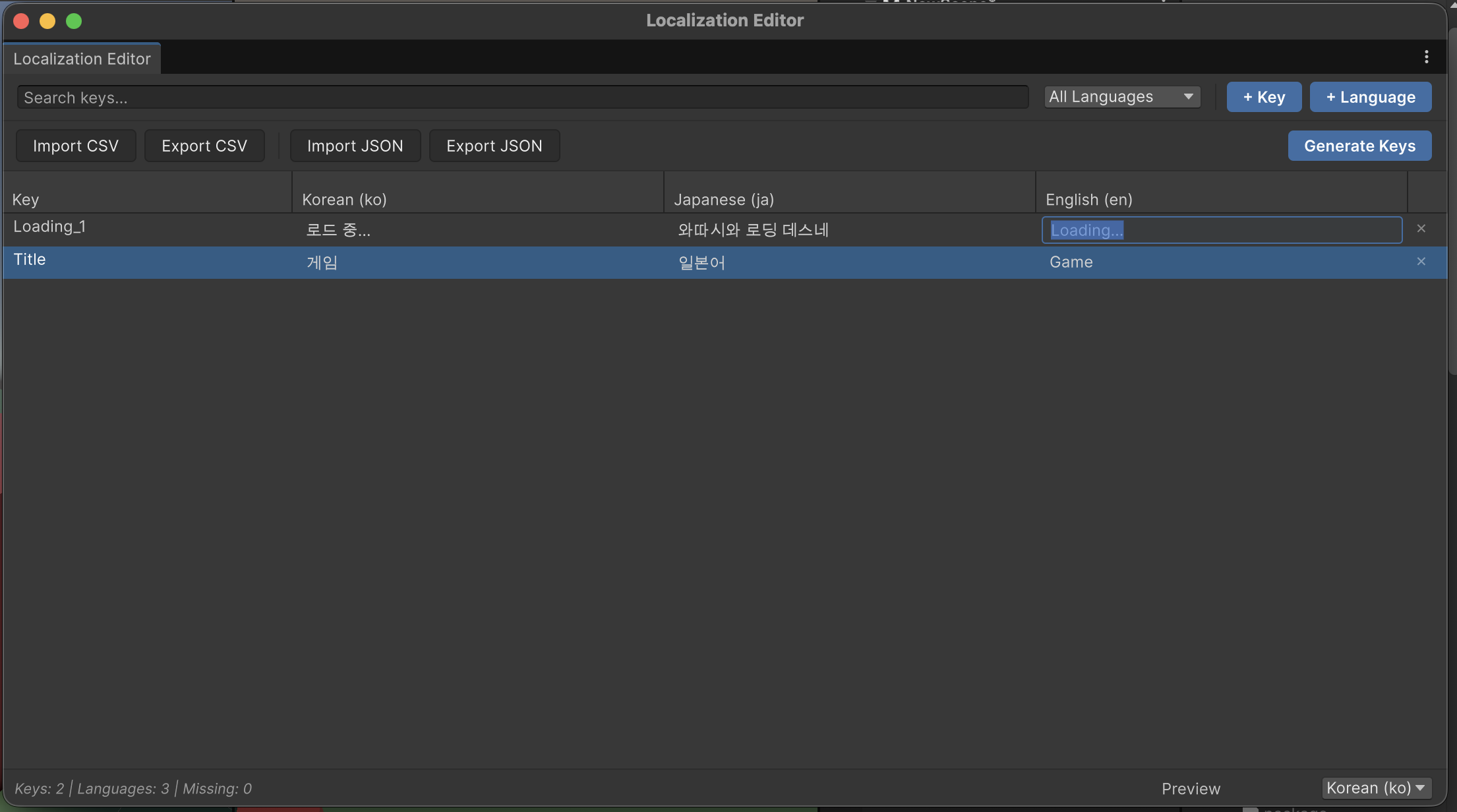
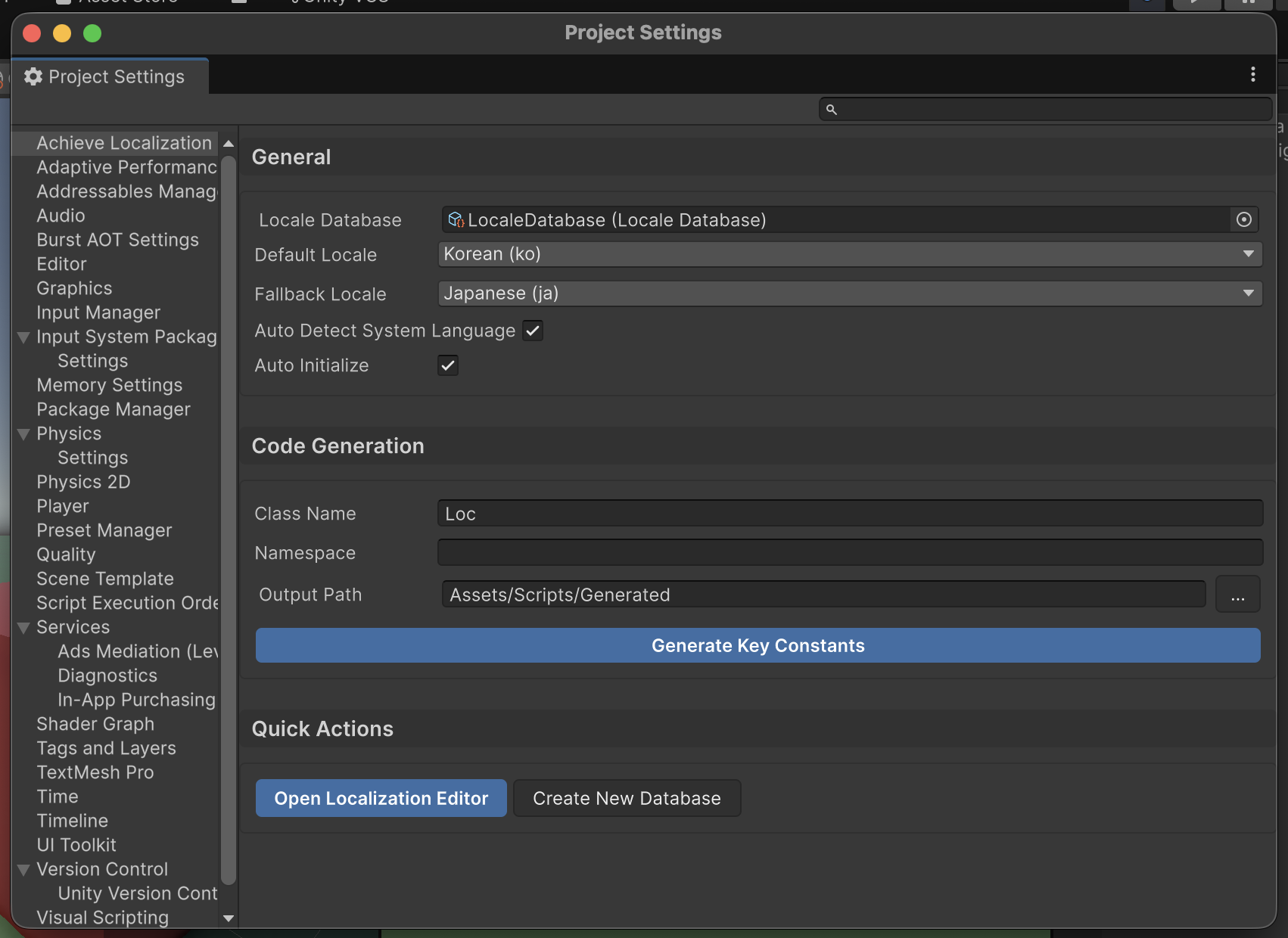
Wow… it honestly looks like a polished, production-ready package. The initial setup took a little fiddling, but I confirmed that it works well.
What was kind of chilling is that it supports not just Text, but also Audio and Image… and it even includes tools for creating the data directly inside the editor…
public static class LocalizationKeyGenerator
{
    // List of C# reserved keywords
    private static readonly HashSet<string> CSharpKeywords = new HashSet<string>
    {
        "abstract", "as", "base", "bool", "break", "byte", "case", "catch", "char",
        "checked", "class", "const", "continue", "decimal", "default", "delegate",
        "do", "double", "else", "enum", "event", "explicit", "extern", "false",
        "finally", "fixed", "float", "for", "foreach", "goto", "if", "implicit",
        "in", "int", "interface", "internal", "is", "lock", "long", "namespace",
        "new", "null", "object", "operator", "out", "override", "params", "private",
        "protected", "public", "readonly", "ref", "return", "sbyte", "sealed",
        "short", "sizeof", "stackalloc", "static", "string", "struct", "switch",
        "this", "throw", "true", "try", "typeof", "uint", "ulong", "unchecked",
        "unsafe", "ushort", "using", "virtual", "void", "volatile", "while"
    };

// ...

}
It even had code generation, so I wondered if it might be using Roslyn’s CodeAnalysis, but it looks like it’s just string concatenation with all the keywords hard-coded, lol.
The JsonParser is also written by directly poking at raw string chunks and parsing them manually… lol. In another way, that’s kind of impressive…
What About the UI?
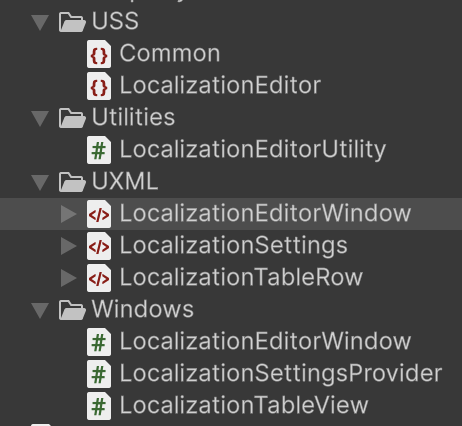
It’s built with UIToolkit, and I could see that it was cleanly separated into USS, UXML, and C# scripts. I really need to study UIToolkit too… but I keep putting it off…
Still
I asked it to prioritize convenience, and looking at the CSV/JSON import parsers plus the overall UX and API interface, it definitely covered the need. But…
For some reason, when I click the generated ScriptableObjects and the inspector shows their information, the editor starts stuttering badly… I wonder if something is calling the method that parses the JSON files…
Anyway, with some improvements, it looks usable enough.
Comments